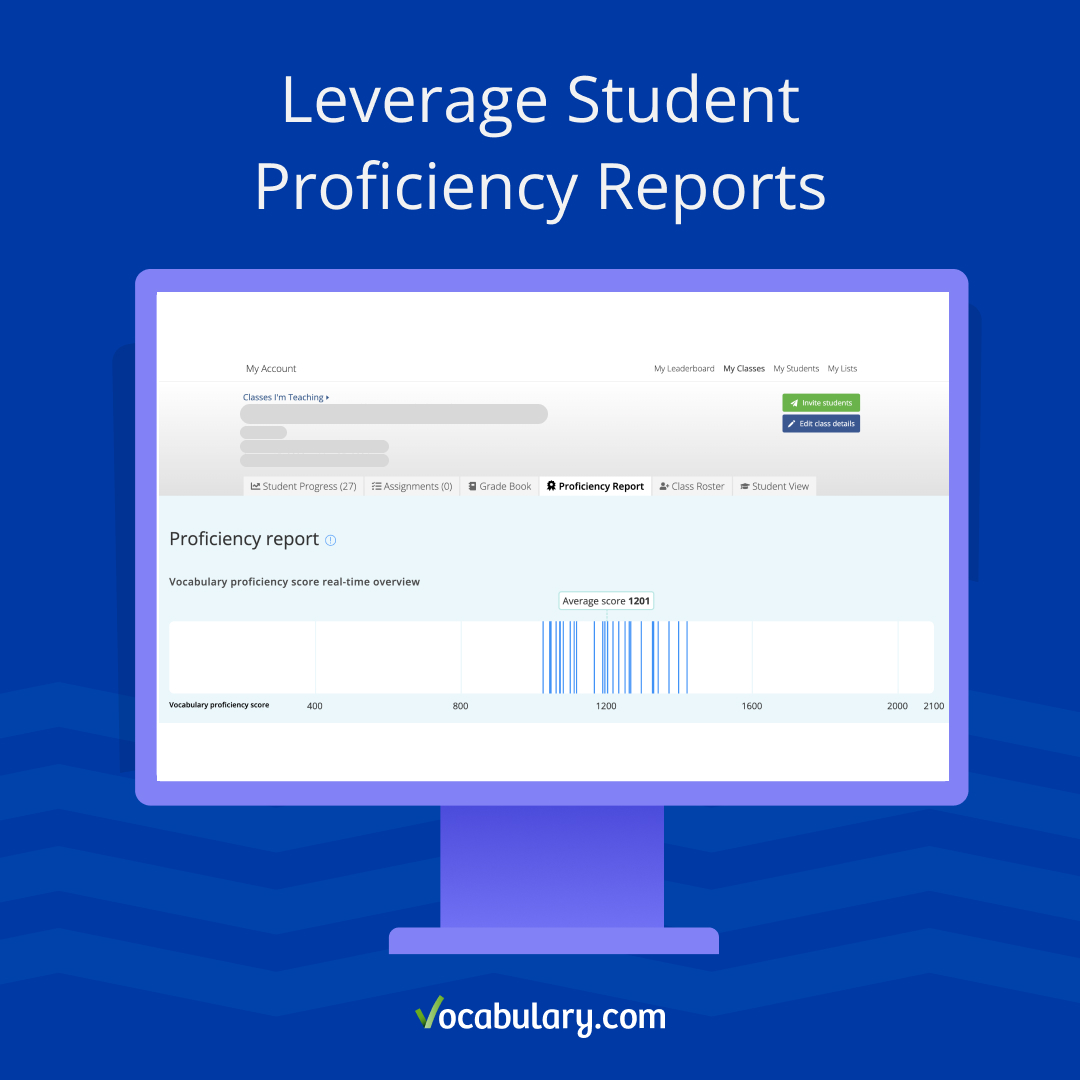
Educators can now see the vocabulary proficiency scores for all of their students and classes.
Vocabulary development is pivotal in reading comprehension, writing skills, and overall academic success. To help educators identify students’ vocabulary proficiency and better differentiate learning for students across levels, Vocabulary.com has added new reporting on student vocabulary proficiency.
What is a vocabulary proficiency score?
Vocabulary.com’s award-winning adaptive engine responds to students in real time. With every answered question, we evaluate learners’ progress on our internal 20-level scale of vocabulary knowledge. As students answer assessment questions on VocabTrainer and Practice correctly or incorrectly, their score adjusts to better adapt the next questions, words, and activities to their individual learning level. Using this adaptive method, we identify trouble words and the gaps in their vocabulary knowledge.
A student's proficiency score represents their current vocabulary level. Words and questions have assigned difficulty levels, so students’ scores will determine what level of words and questions they receive. This is how we provide adaptive learning and differentiation for students at all levels.
What does the score mean?
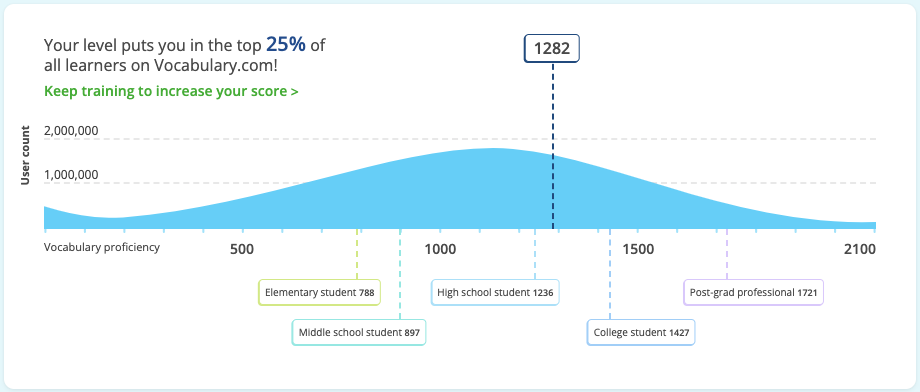
The proficiency score scale ranges from 0-2100. We sampled thousands of schools in the US and calculated the average proficiency scores for each level of education. The average elementary school range is between 788 to 897. The average middle school vocabulary level falls between 897 to 1236 and the high school range is 1236 to 1427. College students on average have a score between 1427 to 1721.
How does question difficulty vary across Vocabulary.com?
These examples show the varying difficulty of questions on Vocabulary.com. Students with a lower proficiency score will receive questions about the basic definition. Students with higher proficiency scores will receive questions about multiple definitions across different contexts.
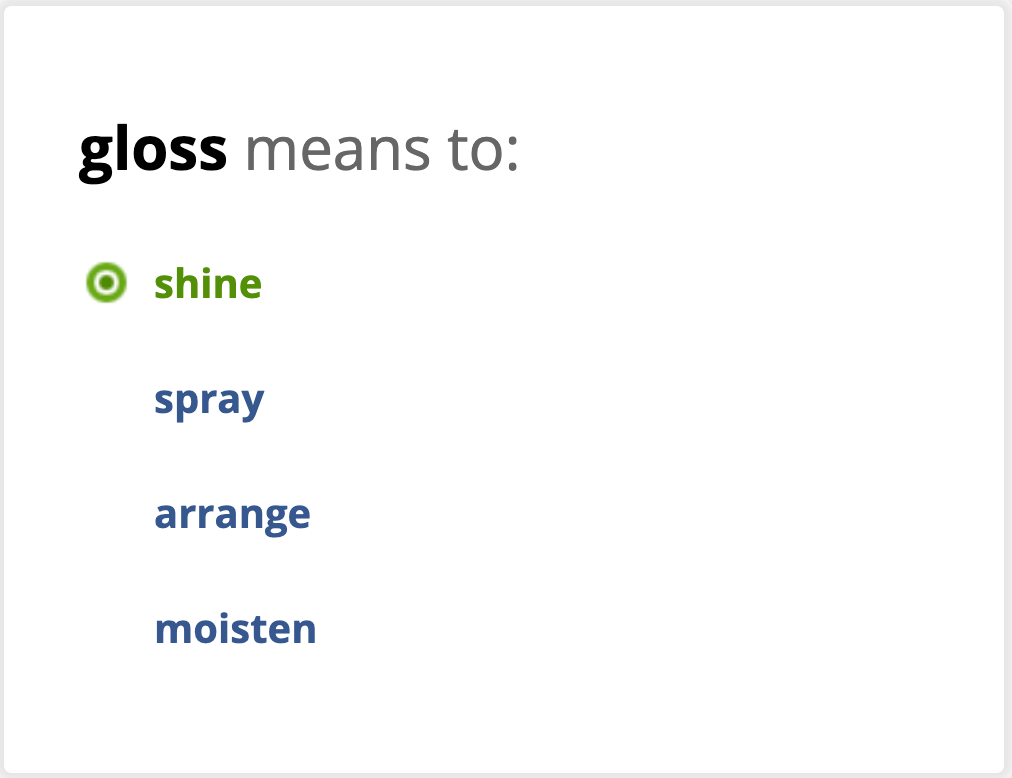
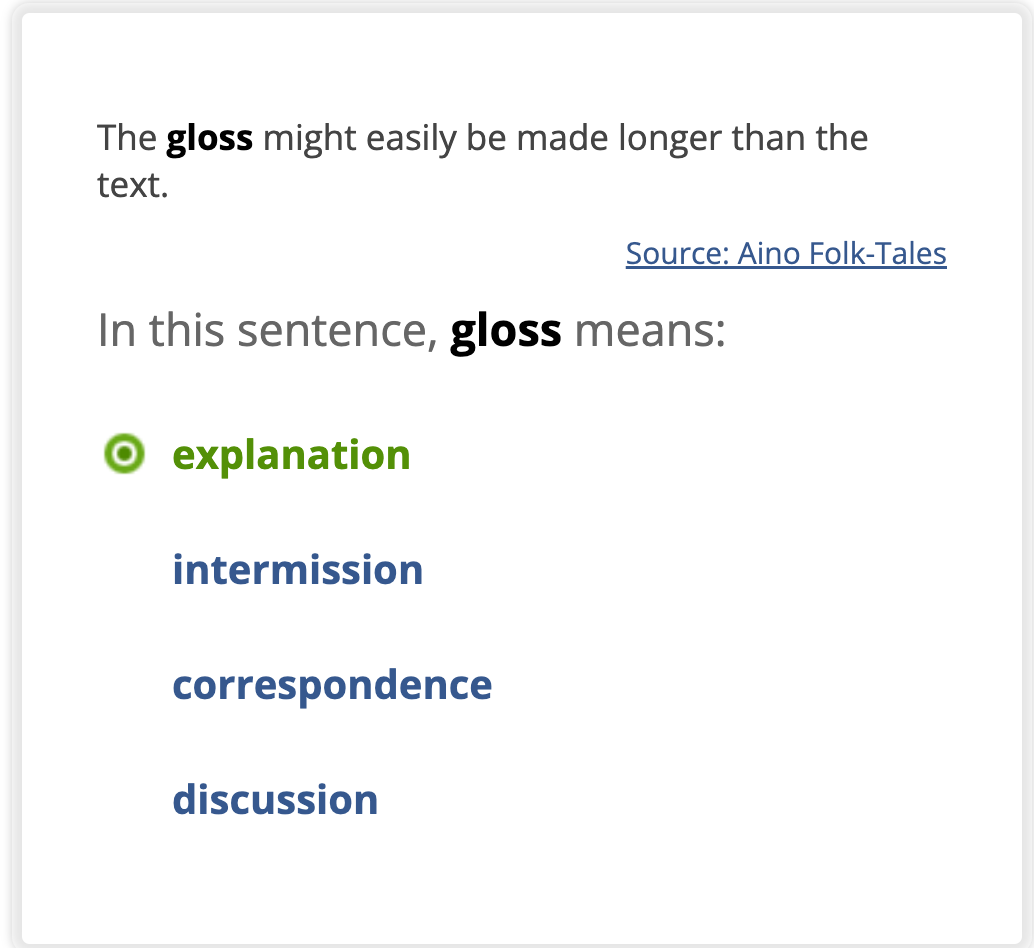
In this example, the word gloss has multiple meanings and Vocabulary.com will teach all the core meanings of each word, targeting each user differently. The synonym question on the left refers to the most familiar sense of gloss. Our adaptive learning engine predicts that a student with a higher proficiency score would already be familiar with this definition. That student would receive the definition question on the right. Because there’s a high chance that they already know the definition of gloss as “shine”, they are now being taught a different, more challenging definition of the word.

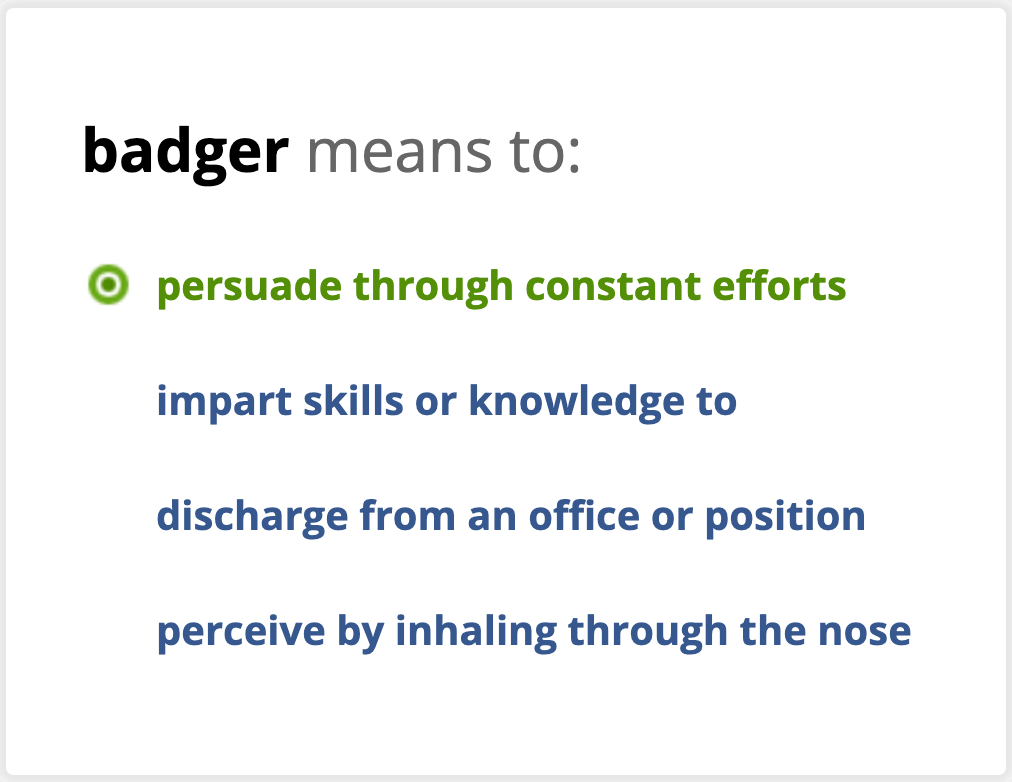
In a similar sense, these questions on the word badger are asking about two different meanings. Because most learners know a badger to be an animal, the more challenging question presents the use of badger as a verb, to persuade through constant efforts.
Learn more about the science and technology behind Vocabulary.com’s adaptive learning in this article.
How to use Vocabulary.com’s proficiency report
Educators can now view a proficiency report for each of their classes. These insights can be used to determine the vocabulary proficiency levels within each class and tailor instruction to students across levels.
- Real-time proficiency scores: This line graph maps out each student’s score, showing approximately where students are clustered and identifying students who may have higher or lower scores than the class average.
- Average score: You can see the average proficiency score of the entire class for a snapshot of overall proficiency.
- Individual proficiency scores: In addition to class data, educators can review each student’s proficiency score.
- Questions answered: We’ve included the number of questions each student has answered to give context to these real-time scores. Proficiency scores change as students learn new words and complete additional activities on Vocabulary.com.
Proficiency reports and scores can be helpful to add another data point and insight into student knowledge. They can be used to provide more information for home reports, parent-teacher conferences, and class placements. These reports are not a reflection of a student’s class assignments and should not be used for grading.
What do students see on their report?
Students can view their individual proficiency reports. These reports are personalized for each student and are different from the class overview reports that educators see. Students can see their own:
- Proficiency score: Along with their current score, a graph illustrates how the proficiency level compares to other learners.
- Learner stats: Students see the time spent, words mastered, and questions answered that contribute to their proficiency score.
- Progress graph: The graph at the bottom of the report displays their score progression of how it changes after each round.
Navigating proficiency reports
Now that you know what information you can find on proficiency reports, where can you find them?
- Log into your Vocabulary.com educator account.
- Click on the hamburger icon and go to My Classes.
- Choose the class you’d like to view.
- Click on the Proficiency Report tab.